Start with your vehicle register
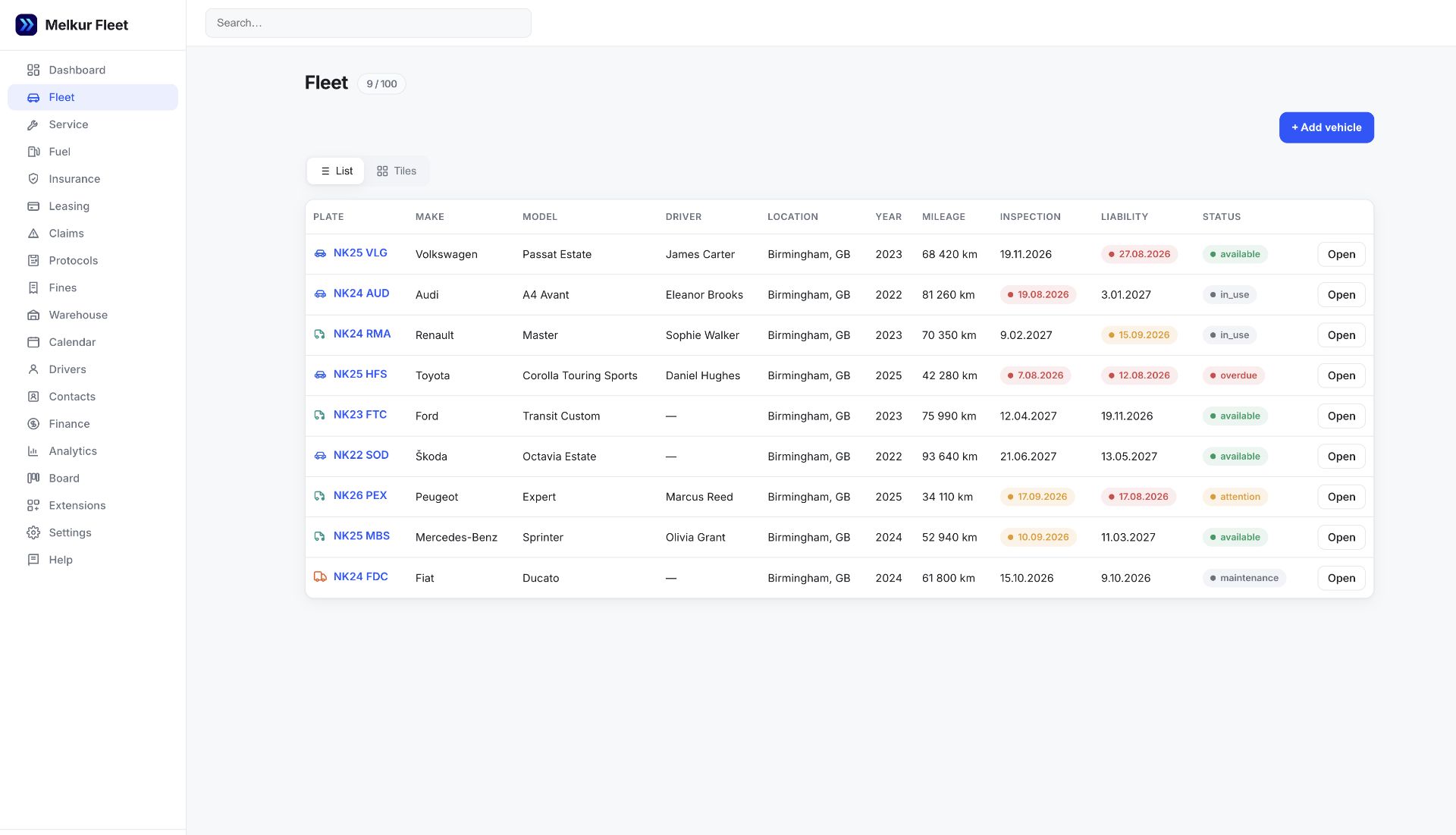
Add each vehicle’s registration, VIN and mileage. Enter its driver assignment and the important dates you already have. Start with one vehicle if you want to try the workflow before adding the rest.

MELKUR FLEET · Small fleet management
When managing vehicles is only part of your job, you need a clear record you can keep up to date — not another collection of spreadsheets.
One vehicle free. No credit card required.
A small fleet might be five delivery vans, a few taxis or the cars used by your employees. The details still matter: who has a vehicle, when its insurance expires, what the last service cost and where the paperwork is. Melkur brings those records together so you can review them without opening a different file for each question.
Getting started
Add each vehicle’s registration, VIN and mileage. Enter its driver assignment and the important dates you already have. Start with one vehicle if you want to try the workflow before adding the rest.
Record completed maintenance and expenses against the vehicle. Attach supported documents such as a policy or invoice PDF. For shared cars, use handover and return protocols with photos.
Check the dashboard for approaching deadlines and update records after service or a driver change. Decide who on your team owns each update; software cannot keep records accurate if nobody enters them.
| Task | In a spreadsheet | In Melkur |
|---|---|---|
| Vehicle details | Often repeated across files or sheets. | One record for each vehicle, with its details and history. |
| Important dates | Someone must review the date columns regularly. | Dates are brought into the CRM’s deadline overview and reminders. |
| Documents | Usually stored separately from the register. | Supported files can be kept with the vehicle, within your storage allowance. |
| Team access | Shared files can make responsibilities unclear. | Separate user accounts with role and module access controls. |
A well-maintained spreadsheet can be enough for a simple setup. Melkur becomes useful when you need connected records, documents, deadlines and access for more than one person.
These are the current monthly entry packages. Existing subscriptions may retain earlier terms.
€0.00 / month
Vehicles: 1 · Users: 1 · 0.25 GB
See features and terms€9.99 / month
Vehicles: 5 · Users: 2 · 2 GB
See features and terms€19.99 / month
Vehicles: 15 · Users: 3 · 5 GB
See features and termsPrices exclude VAT. Packages differ in features as well as capacity. Paid packages offer a 30-day trial without a card; optional extras have separate terms.
Yes. FREE supports one vehicle; the current S package supports up to five. Choose a package by its vehicle, user, storage and feature allowances, not fleet size alone.
You can use FREE for one vehicle without a card. Paid packages can be tried for 30 days without a card. Check the pricing section for the current terms and optional extras.
Yes. The CRM works in a browser with a mobile-adapted interface. You do not need to install desktop software to view or update records.
Do not assume that GPS tracking, telematics integrations or automatic mileage collection are included. The workflow described here is based on the records you enter.
Add a vehicle, record the dates you know and see whether the workflow fits your day.