Record the last completed work
Choose the vehicle and enter the service date, available mileage, description and cost. Use clear descriptions that another team member will understand later.

MELKUR FLEET · Vehicle maintenance tracking
See what was done to a vehicle, keep the supporting paperwork and record what needs attention next.
One vehicle free. No credit card required.
A workshop invoice tells you about one visit. A useful vehicle history connects that work to the car, its mileage, the cost and the next relevant date. Melkur helps you keep that history consistent, whether one person manages the fleet or several people handle the records.
Getting started
Choose the vehicle and enter the service date, available mileage, description and cost. Use clear descriptions that another team member will understand later.
Upload a supported copy of the invoice or other vehicle document. Keeping the file alongside the record makes it easier to review previous work before speaking to a workshop.
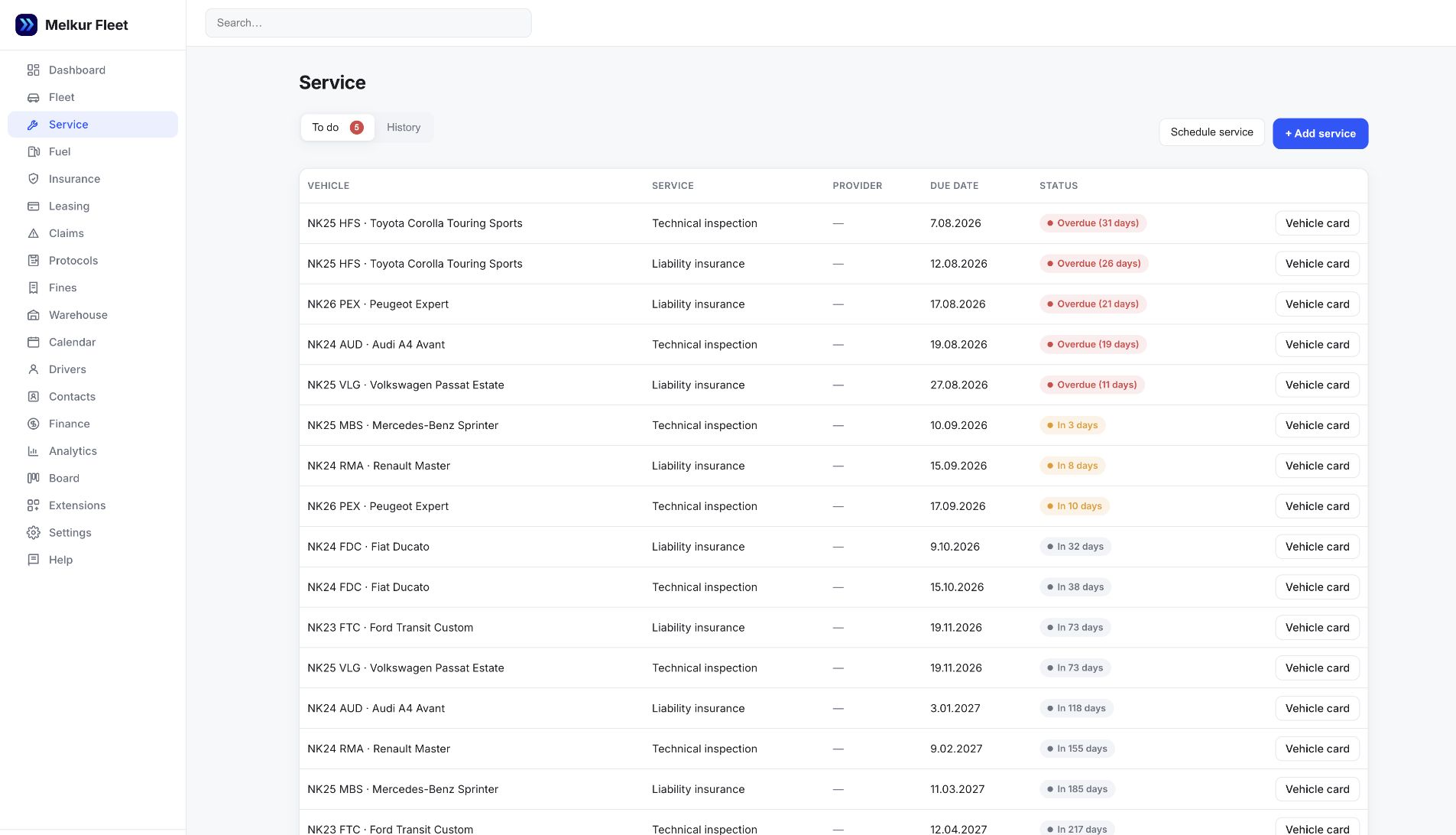
Enter the next applicable maintenance date using the vehicle’s service schedule or workshop guidance. Review the deadline overview and update the history when work is completed.
| Record | Question to answer | In Melkur |
|---|---|---|
| Vehicle and mileage | Which car was serviced, and at what recorded mileage? | Use the vehicle record and keep its mileage current. |
| Date and description | When was the work completed, and what was done? | Keep a dated service entry with a clear description. |
| Cost and paperwork | What did the work cost, and where is the invoice? | Record the cost and keep a supported document with the vehicle. |
| Next action | What needs to be reviewed next, and when? | Record the applicable date and check upcoming deadlines. |
Use the manufacturer’s schedule and qualified workshop guidance for maintenance decisions. Melkur organises the information you record; it does not diagnose faults or decide whether a vehicle is safe to drive.
Yes. FREE includes one vehicle, so you can use the service record for a personal car as well as a business vehicle. Larger packages support more vehicles.
The workflow on this page uses entered records and dates. It does not promise automatic mileage feeds, diagnostic fault detection or predictive maintenance.
Vehicle documents support PDF, JPEG, PNG and WebP files up to 20 MiB each. Documents and photos share the company’s storage allowance.
No. It is your own management record. Keep manufacturer, workshop and other required records where applicable.
No. Enter the dates appropriate to the vehicle and its use. Do not use a generic website example as a maintenance schedule.
Add a vehicle, record the dates you know and see whether the workflow fits your day.