Create a record for each van
Add identification, mileage, insurance and inspection details, then assign the person responsible for it.

Service fleets
Keep technicians’ vehicles organised, from the next inspection date to the equipment recorded at handover.
One vehicle free. No credit card required.

For a field-service business, vehicle administration sits alongside customer jobs. A technician may know about a van’s problem while the office holds its insurance paperwork. Bringing those records together helps the team review the vehicle without confusing fleet upkeep with customer-job scheduling.
The daily workflow
Add identification, mileage, insurance and inspection details, then assign the person responsible for it.
Use a handover protocol to record condition, photos and supplied equipment, including additional checklist items.
Add maintenance records and costs as work is completed. Check forthcoming dates when planning vehicle availability.
Inside the CRM
Keep contact and driver information connected to vehicle assignments.
Record supplied items in the protocol. This is a checklist, not automatic tool location tracking.
Keep supported invoices and documents with the vehicle for the next maintenance review.
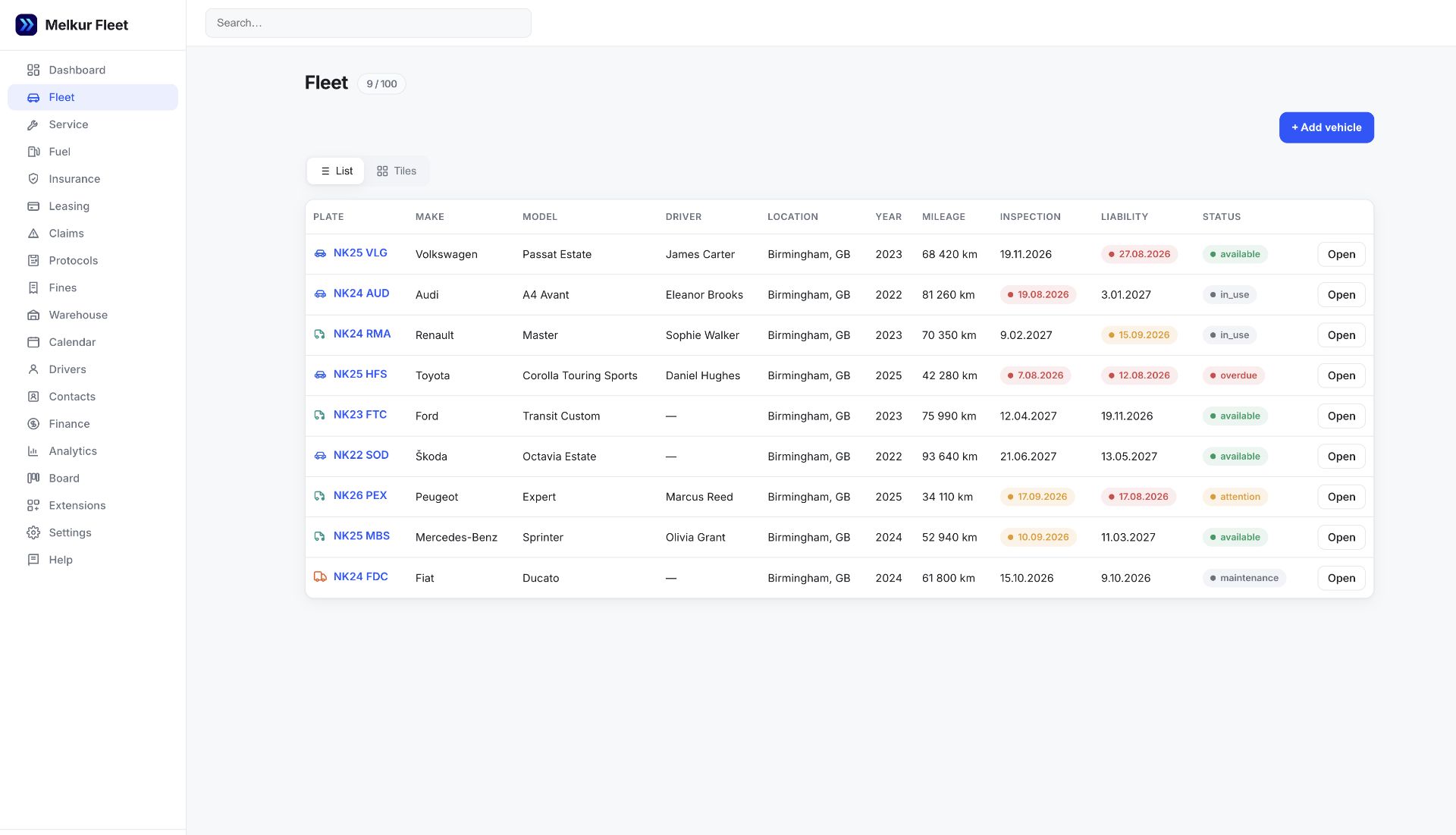
The workflow on this page is for your vehicles, not technician dispatch or customer appointment scheduling.
Yes. Vehicle protocols support additional equipment items alongside standard items in the checklist.
The record-management features described here work in the browser. They do not require a GPS device or provide automatic telematics data.
Use FREE for one vehicle, or try a paid plan for 30 days without a card. Vehicle, user, storage and feature allowances vary by package.